 Shinechip
Touch Dimmer Switches for LED Strips Explained
Published 2026-10-09 · Shinechip engineering team
A touch dimmer switch is a low-voltage control that turns an LED strip on or off with a short touch and dims it when the touch is held. It is wired between the 12V or 24V LED driver and the strip, and comes in surface-mount, hidden-behind-panel and mirror versions.
- What is a touch dimmer switch for LED strips?
- What types of touch sensor dimmer switch are there?
- How do I match a touch dimmer to my LED strip load?
- Do I need a single-colour or a 3-colour touch dimmer?
- How thick can the panel or glass be?
- Where should a touch dimmer be placed on a cabinet or mirror?
- How do I wire a touch dimmer switch?
- Why is my touch dimmer flickering or not responding?
What is a touch dimmer switch for LED strips?
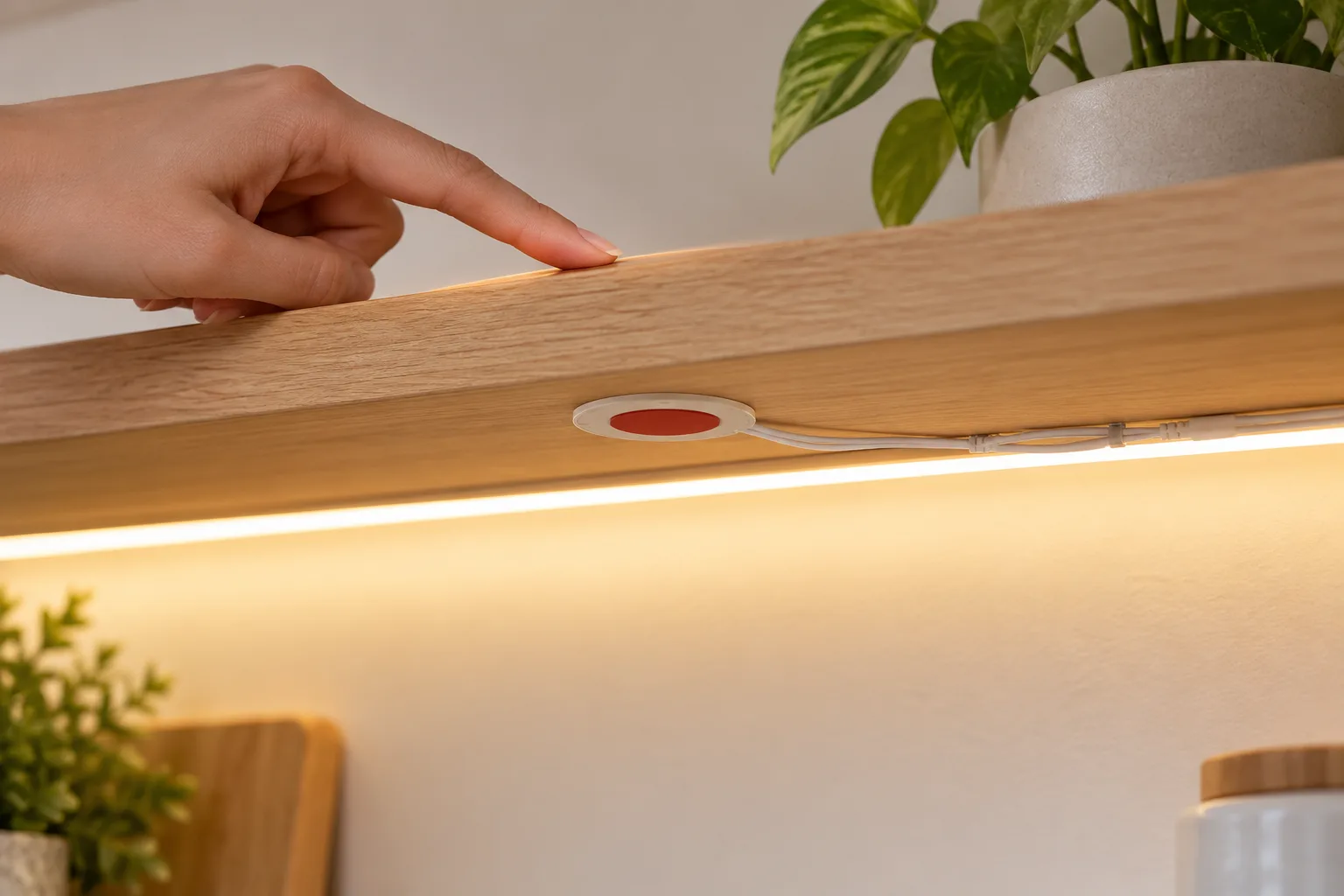
It is an LED touch sensor switch that senses a finger on, or close to, its touch point and controls the strip from that single point: a short touch for on and off, a longer touch to dim. Most use capacitive sensing, which detects the change a finger makes to a small electric field, so the touch point can be a metal cap, a panel surface or the mirror glass itself.
The FTM01-A, for example, is a surface-mount touch dimmer for cabinet strips: touch the silver cap to fade the light on or off, and hold it to dim. The fade means the light ramps up and down rather than switching abruptly.
What types of touch sensor dimmer switch are there?
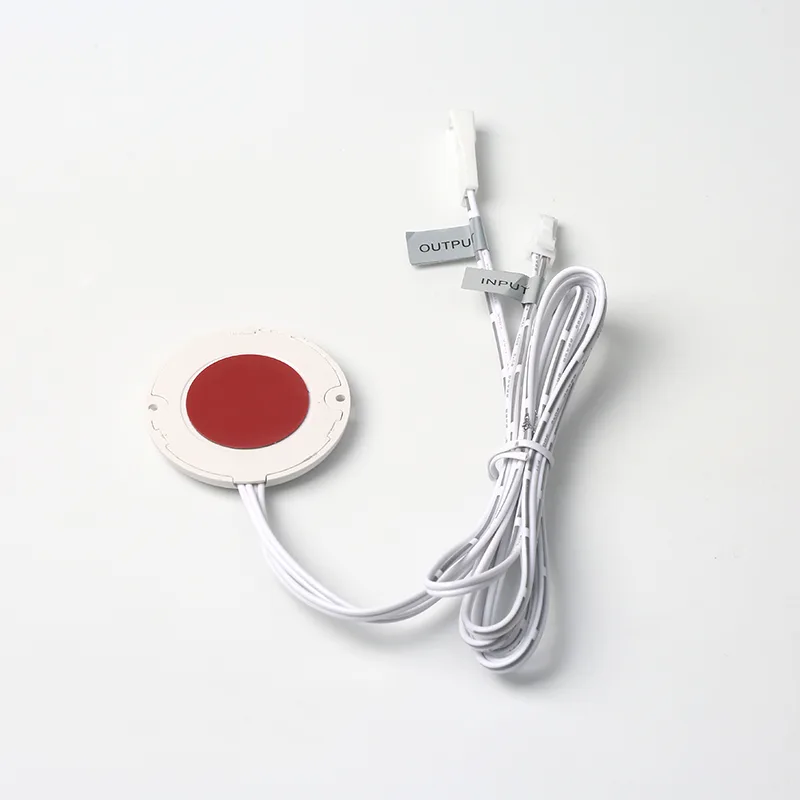
There are three main types: surface-mount, hidden and mirror. A surface-mount dimmer such as the FTM01-A is fitted where the user can see and touch it. A hidden dimmer sits behind a wooden or panel surface and senses through it; the FTS-04 works through up to 20 mm of material, so the visible face of the cabinet stays clean.
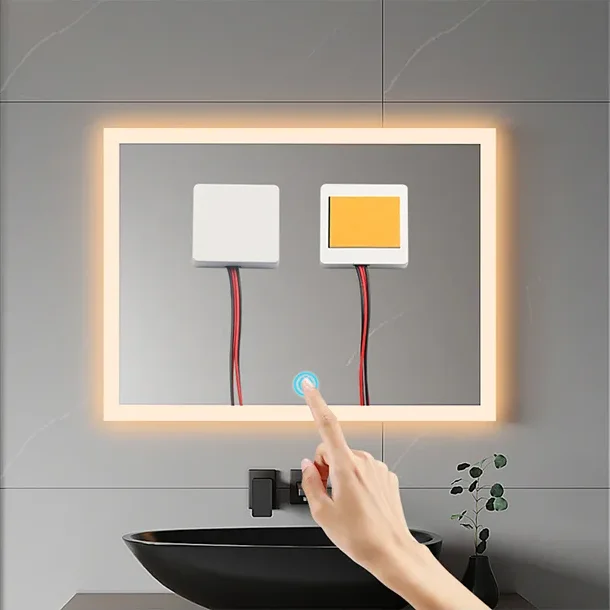
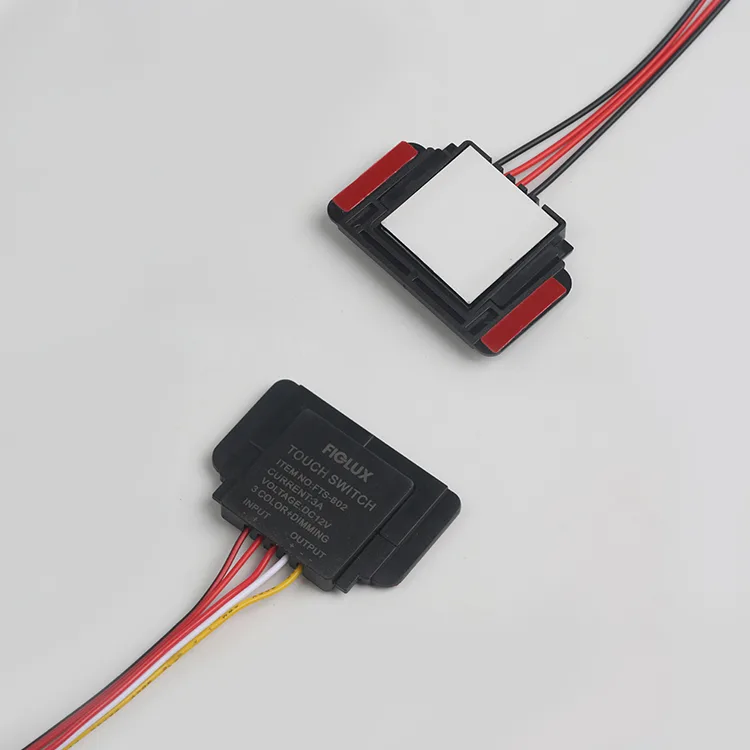
Mirror dimmers stick to the back of the glass. The TD100 senses a finger through 1-5 mm of glass, so the mirror needs no hole, and the TD102D is a mirror touch dimmer for 3-colour strips.
How do I match a touch dimmer to my LED strip load?
Calculate the strip current and keep it at or below the dimmer's rated load. Strip watts are watts per metre multiplied by length, and current is watts divided by voltage.
Ratings in the range show how this works. The FTM01-A is listed with a 5A maximum and load figures of 25W, 60W and 120W, which match 5A × 5V = 25W, 5A × 12V = 60W and 5A × 24V = 120W. The TD100 handles up to 5A on 12-24V DC. The TD102D handles up to 36W at 12V, which is 36W ÷ 12V = 3A.
If the strip load is above the dimmer rating, split the strip across two dimmers or choose a higher-rated model; do not rely on the dimmer to limit the current.
Do I need a single-colour or a 3-colour touch dimmer?
Match the dimmer to the strip: a single-colour strip needs a single-colour dimmer, and a CCT (tunable white) strip needs a 3-colour model. The TD100 and TD100D share the same 49 x 49 x 10 mm module; the TD100 dims a single-colour strip and the TD100D adds 3-colour switching plus dimming.
The TD102D steps a CCT strip through three colour temperatures and dims it from one touch point. A 3-colour dimmer on a single-colour strip simply loses the colour function, while a single-colour dimmer on a CCT strip only drives one channel.
How thick can the panel or glass be?
Use the sensing range in the model's listing as the limit and test on the real material. Mirror switches such as the TD100 are specified for 1-5 mm glass. Hidden furniture dimmers cover thicker panels, for example up to 20 mm for the FTS-04.
Material matters as much as thickness. Wood, stone and plastic panels can be sensed through, but metal panels and metal-backed laminates block capacitive sensing, so the module must sit behind a non-metal section.
Where should a touch dimmer be placed on a cabinet or mirror?
Place the touch point where a hand reaches without searching for it, and mark it if the dimmer is hidden. On a mirror, that means sticking the module directly behind the touch icon or the clear window in the silvering, with the sensing face flat against the glass. On a cabinet, it usually means the front edge of a shelf, the side of a wall unit or the underside of a worktop overhang.
Keep the module away from the LED driver and from mains cables, and route the low-voltage leads so they do not cross the sensing area. For hidden furniture dimmers, a small engraved or printed mark on the panel face tells users where to touch without spoiling the clean surface.
Surface-mount dimmers such as the FTM01-A need a hole or a flat area to fix to, so plan the position at the design stage rather than on site.
How do I wire a touch dimmer switch?
Wire it on the DC side: the LED driver output goes to the dimmer input, and the dimmer output goes to the strip. Step by step:
1. Confirm the driver voltage matches the dimmer input (for example 12V DC for the TD102D, 12-24V DC for the TD100). 2. Calculate the strip current and check it against the dimmer rating. 3. Fix the module flat against the touch surface. 4. Connect positive to positive and negative to negative, using the supplied leads or connectors. 5. Power up and test a short touch for on and off, a long touch for dimming and, on 3-colour models, the colour steps.
These switches work on the 12V or 24V DC side only. Never connect a low-voltage touch dimmer to mains; the LED driver's mains connection should be made by a qualified electrician with the circuit switched off and isolated.
Why is my touch dimmer flickering or not responding?
Most faults trace back to supply voltage, load or mounting. If the dimmer does not respond, check that the input voltage matches, the polarity is correct and the module is flat against the surface. If it reacts on its own, look for nearby cables, metal or moisture on the touch area.
If the strip flickers when dimmed, check that the strip is dimmable and that the total load is within the dimmer rating. Remake any loose connector, and confirm the driver is a constant-voltage DC supply of the correct voltage.
Figures are from our product listings or worked out from them. Check the specific model before installation.
Parts to use
 FTM01-A
FTM01-A Touch Dimmer Switch for Cabinet LED Strips, 12-24V
 Featured▶ VideoTD100
TD100 / TD100D Mirror Touch Dimmer Switch, 12-24V DC
 FeaturedFTS-04
FTS-04 Round Hidden Touch Dimmer for Cabinets, 12V 60W
 FeaturedTD102D
TD102D 3-Colour Mirror Touch Dimmer, 12V 36W IP22
Tell us what you are building
Send the switch type, voltage, load and quantity, or a photo of the switch you use today. We reply with model options, MOQ, price and lead time.